
This is a quick tour of the Panoplai platform so you can find your way around.
Home page
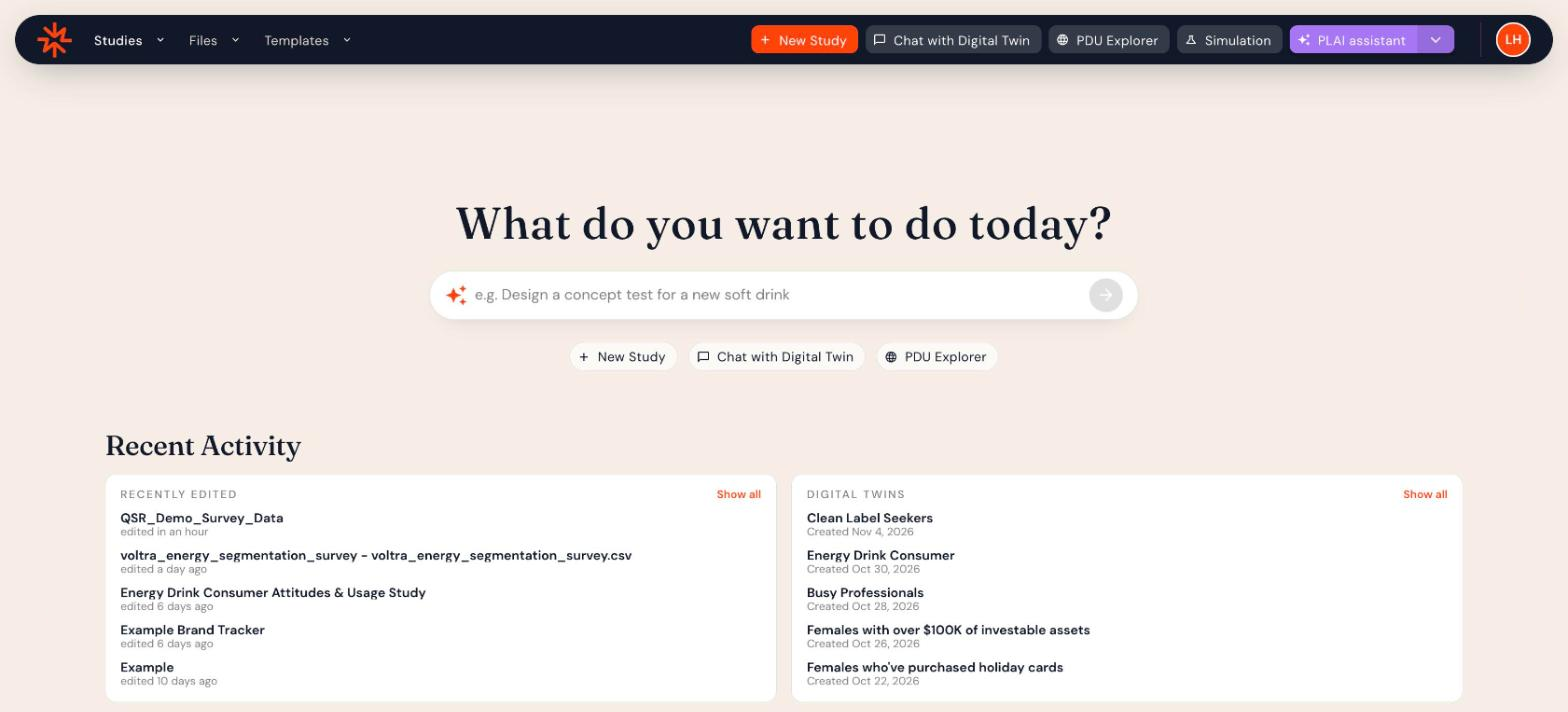
Click the Panoplai logo in the top-left corner to return home. The home page has:
- What do you want to do today? Describe what you need (for example, Design a concept test for a new soft drink) and Plai will get started.
- Shortcuts to New Study, Chat with Digital Twin and PDU Explorer.
- Recent Activity: your recently edited studies and recent Digital Twin conversations. Click Show all to see more.
Top navigation
- Studies: Hover over the arrow to choose My Studies, Public Studies or All Studies. See Managing Your Studies.
- Files: Hover over the arrow to choose My Files or All Files. See Managing Your Files.
- Templates: Reusable study templates. Hover over the arrow to choose My Templates or Public Templates.
- New Study: Start a study from a blank study, a previous study, a template or a document.
- Chat with Digital Twin: Create and revisit Digital Twin conversations across your data.
- PDU Explorer: See what your data and the Panoplai Data Universe already know about an audience.
- Simulation: Ask saved audiences new questions.
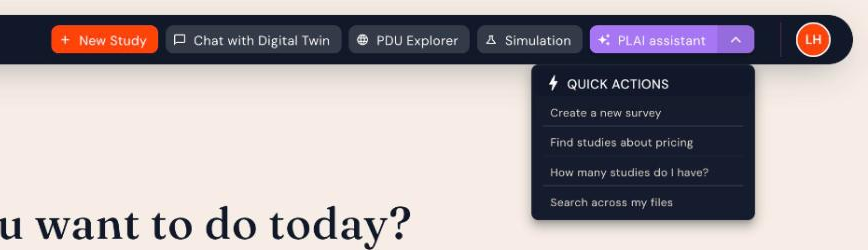
- PLAI assistant: Open Plai in a side panel. Click the arrow next to it for quick actions.
Profile menu
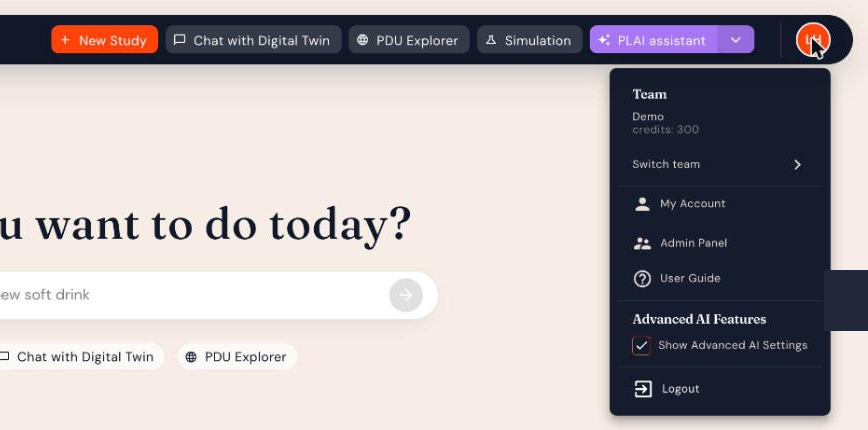
Click your initials in the top-right corner to:
- See your current team and its credit balance
- Switch team
- Open My Account (profile, password, teams and billing)
- Open the User Guide
- Turn Show Advanced AI Settings on or off
- Logout
Footer
Links to the User Guide, Terms and Conditions, Privacy Policy and Quality, plus support@panoplai.com, are at the bottom of every page.