
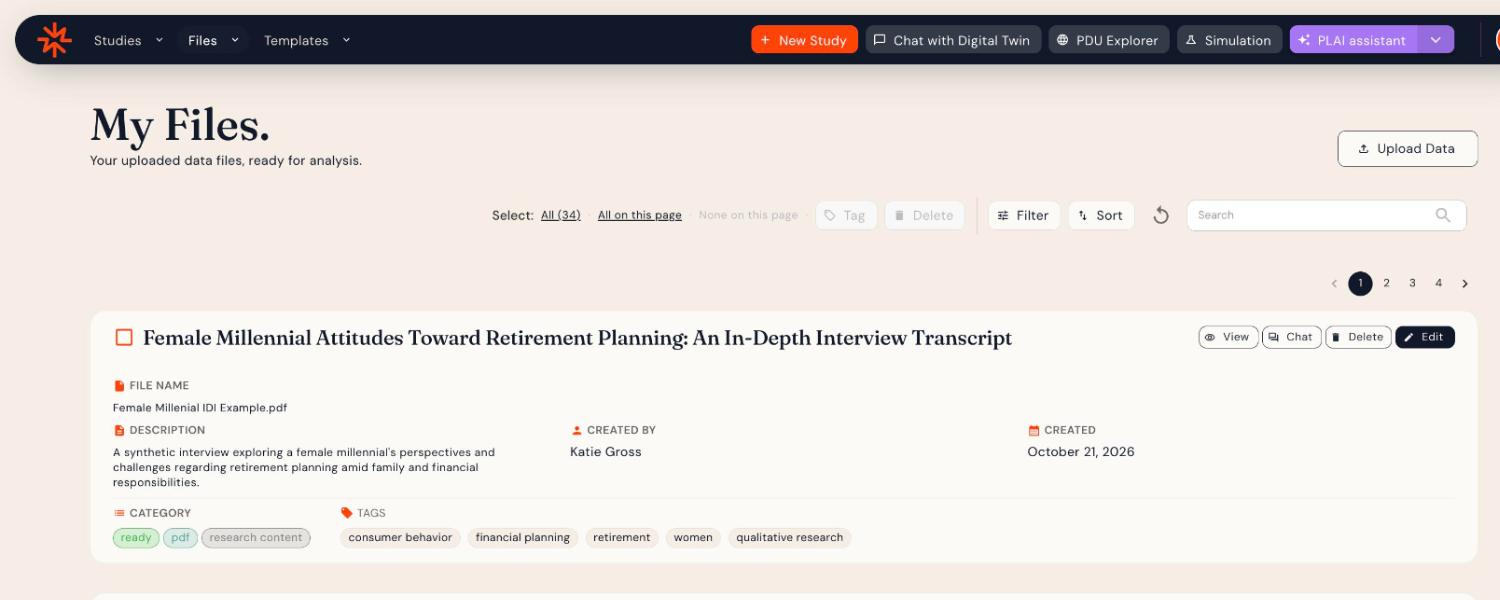
Click Files in the top navigation to open My Files, where your uploaded documents (reports, transcripts, briefs and other unstructured files) are stored, ready for analysis.
Uploading a file
Click Upload Data. See Uploading Unstructured Data for supported formats and tips.
File cards
Each file shows its file name, description, creator, created date, category and tags. Use the buttons on the card to View the file, Chat with it in a Digital Twin conversation, Edit its details or Delete it.
To see files beyond your own, hover over the arrow next to Files and choose All Files.
Finding and organizing files
- Search, Filter and Sort to find a file.
- Click the refresh icon to update the list after an upload.
- Select files with their checkboxes (or Select: All / All on this page), then use Tag to label them or Delete to remove them.
Using your files
Add files to a Digital Twin conversation from the Documents tab when you create it. See Multi-Study Analysis. You can also ask Plai to Search across my files.