
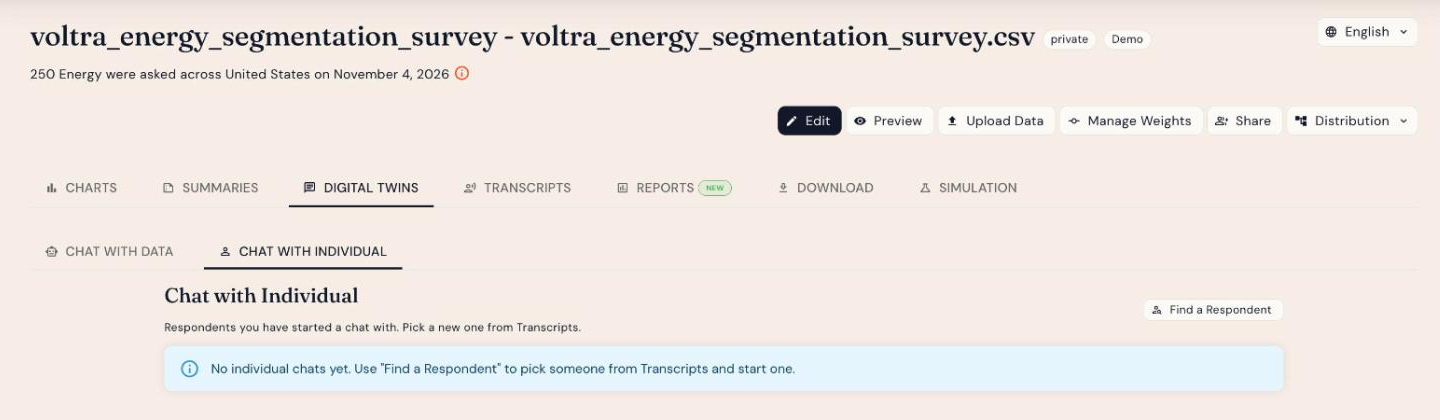
Chat with Individual lets you hold a one-to-one conversation with the digital twin of a single respondent. Ask follow-up questions as if you were interviewing that person, grounded in how they actually answered your survey.
How to start a chat
- Open your study and go to Results.
- Click the Digital Twins tab, then the Chat with Individual sub-tab.
- Click Find a Respondent. This takes you to Transcripts, where you can browse respondents (using filters if you like).
- Pick the respondent you want and start the chat.
Respondents you've chatted with are listed on the Chat with Individual tab so you can return to the conversation.
Good uses
- Dig into the "why" behind an unexpected answer
- Explore how a typical member of a key segment thinks
- Draft persona stories or quotes to test with real respondents
Responses come from an AI model of the respondent. Use them to explore and form hypotheses, and confirm important findings with real respondents.