
Open-ended responses hold a wealth of insight. Panoplai provides multiple visualization tools to help you surface themes, sentiment, emotion, and patterns quickly.
Available Visualizations & Data Points
-
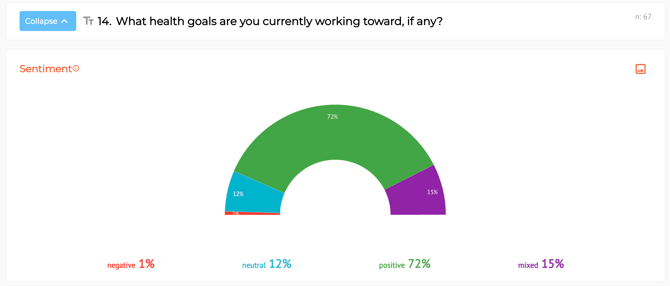
Sentiment Analysis: Sentiment can be either self-reported by participants or AI-inferred.
-
See whether responses trend:
-
-
-
-
Positive
-
Negative
-
Neutral
-
Mixed
-
-
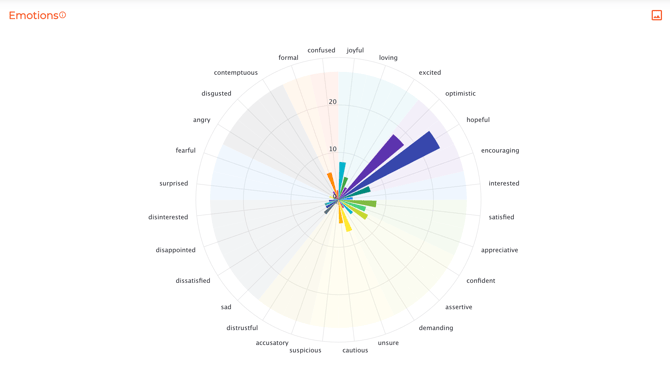
- Emotion Wheel: Explore which emotions respondents associate with their answers (Either self-reported or AI-inferred)
-
Key Phrases: Key Phrases group commonly used words and phrases across responses. Use this view to identify recurring language patterns.
- Display key phrases as a tree map, table, or word cloud.
- Adjust how many phrases shown (Top 10, 20, 30, 40, or 50) across views.
-
Hide specific key phrases to refine what appears in the word cloud, giving you more control over how the results are presented.
- AI Topics: Responses are automatically grouped into adjustable thematic clusters, helping you to quantify and explore qualitative feedback at scale.
- Display AI Topics as a tree map, table, or bar chart.
- Learn more about AI Topics here.
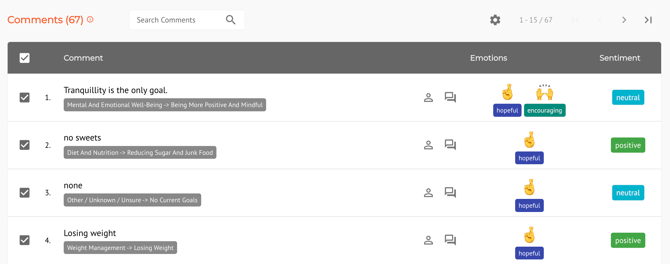
- Individual Verbatim Comments: Each open-ended response appears in a sortable table, complete with key phrase and ai topics "codes", sentiment, and emotion tags — making it easy to scan, quote, or deep dive into specific feedback.
How to Read the Tree Maps in AI Topics & Key Phrases
-
Rectangle Size = Frequency
Larger rectangles indicate themes or phrases mentioned more often.
-
Rectangle Color = Sentiment
-
Green = Positive
-
Red = Negative
-
Purple = Mixed
-
Blue = Neutral
-
-
Search
Use search to find a specific word or verbatim and see where it is categorized.